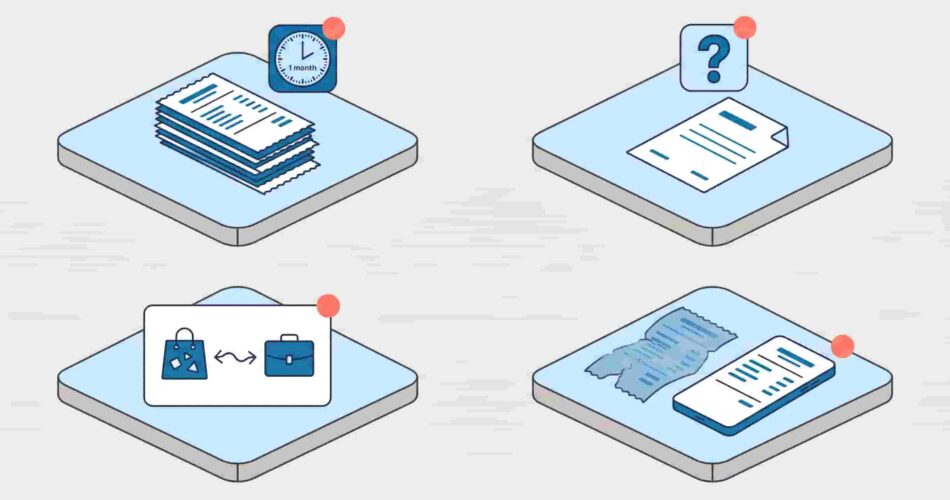
Most small businesses and freelancers miss $2,000–$5,000 in tax deductions every year — not because they spent less than they should have, but because receipts were lost, forgotten, or sitting in a pile nobody touched until April. Receipt tracking isn’t glamorous, but the cost of not doing it is real and it shows up directly on your tax bill. Here’s how to do it properly — what to capture, how to organise it, and which tools actually make it stick for a small team.
What is the best receipt tracking app for a small business? The best receipt tracking app for a small business captures receipts at the moment of purchase, categorises them automatically, creates an audit trail, and syncs with your accounting software. For teams that work in Slack or Microsoft Teams, a Slack-native tool like ExpenseTron is the strongest option — employees submit receipts by messaging a bot in Slack, approvals happen in one click, and everything syncs to QuickBooks or Xero automatically. For solo operators, mobile-first apps like Dext or FreshBooks Receipt Scanner work well. The right choice depends on your team size and where your people already spend their day.
Why receipt tracking breaks down for small teams
The receipts don’t disappear because people are disorganised. They disappear because the process of capturing them has too much friction. An employee pays for a client lunch, plans to submit the receipt later, and by the time “later” comes the receipt is faded, crumpled, or lost in a pocket. Multiply this across a team of 20 and you have a month-end archaeology problem.
Over 74% of small business owners say operating costs have increased year over year. At those margins, missing $3,000 in deductions because of poor receipt management isn’t a minor oversight — it’s a material cost.
The IRS requires documentation for most business expenses over $75, and in many cases, documentation is expected for lower amounts too if a deduction is questioned. “I think I spent about $60 on that dinner” is not an audit defence. A photo of the receipt, timestamped and categorised, is.

What a good receipt tracking system captures
Every receipt in your small business expense tracker should record five things at minimum:
Date and vendor
When the expense happened and who you paid. This sounds obvious but it’s the first thing missing from informal submissions — employees type “lunch” without noting the date or restaurant. Your receipt tracking app should capture both automatically from the receipt image.
Amount and currency
The exact amount paid, in the currency of the transaction. For teams with remote or international employees, a receipt tracking app for small business that handles multi-currency is essential — manual conversion at month-end is where errors pile up. Our guide on how remote teams handle business expenses across different countries covers this in detail.
Expense category
Which budget line does this belong to? Travel, meals, software, office supplies — the category determines deductibility and affects your books. A good small business receipt management system prompts employees to categorise at submission, not at month-end. For a full breakdown of which categories are deductible and how, see our business expense categories guide.
Business purpose
One line explaining why this was a business expense. “Client lunch — Q3 renewal discussion with [Name]” is sufficient. This matters most for meals and entertainment where the IRS is stricter about documentation.
Receipt image
A photo or digital copy of the actual receipt. This is your proof. The best way to keep track of small business expenses is to capture the receipt image at the point of purchase — before the receipt fades, tears, or gets lost. Every good receipt tracking app for small business does this via mobile camera.
The best ways to track business expenses and receipts
Snap and submit immediately
The moment the expense happens is the best time to capture it. A receipt tracking app on a smartphone takes 15 seconds. Waiting until the end of the week takes 15 minutes and produces worse data. Make it a team rule: receipt gets submitted before you leave the restaurant, the shop, or the client site.
Use one submission channel
Receipts arriving by email, WhatsApp, Slack DM, and paper envelope simultaneously is not a system — it’s chaos with extra steps. Pick one channel for all receipt submissions and hold the line on it. Everything else gets redirected there.
Separate business and personal spending
Mixing personal and business expenses on the same card creates categorisation nightmares and audit risks. A dedicated business account or card — even a basic one — means every transaction that flows through it is a business expense by default. This is the single biggest structural fix for small business expense tracking.
Automate the accounting sync
Capturing receipts is half the job. The other half is getting that data into your books without anyone re-entering it manually. The best small business expense tracking software connects directly to QuickBooks or Xero — approved receipts sync automatically, categorised and converted, so your month-end close doesn’t require a data entry marathon.
Keep receipts for at least seven years
The IRS can audit returns up to six years back in cases of substantial underreporting. Seven years of receipt storage is the safe standard. Digital storage — in a receipt tracking app or accounting software — is more reliable than physical filing and takes up zero drawer space.

How ExpenseTron handles receipt tracking for Slack and Teams teams
For teams that run on Slack or Microsoft Teams, the best app for tracking business expenses and receipts isn’t a standalone mobile app — it’s a tool that lives where your team already works.
ExpenseTron handles receipt tracking entirely inside Slack and Teams. Here’s the workflow:
An employee pays for something, opens Slack, snaps a photo of the receipt, and sends it to ExpenseTron in the chat. They add the amount, category, and a one-line note. ExpenseTron logs the submission immediately with a timestamp, routes it to the right approver, and the manager approves or rejects directly in Slack without opening a dashboard. Approved receipts sync to QuickBooks Online or Xero automatically.
No separate app to download. No portal to log into. No receipt pile to sort through at month-end. The whole process takes under a minute at the point of purchase — which is the only time it reliably gets done.
ExpenseTron also handles mileage claims, multi-currency submissions, and out-of-pocket reimbursements without any card requirement — which matters for small teams where not everyone has a company card. For more on the full approval workflow, see our post on how to approve expenses in Slack.
What to look for in a small business receipt tracker
Not every receipt tracking app for small business is built for the same team. Here’s what actually matters when you’re evaluating options:
Mobile receipt capture
The app needs a fast, reliable camera-based receipt scanner. OCR (optical character recognition) that reads vendor, amount, date, and tax automatically is a significant time saver — employees aren’t manually typing data from a receipt, they’re just confirming what the app extracted.
Category assignment at submission
The best small business expense tracker asks for the category when the receipt is submitted — not when the finance team reviews it three weeks later. This keeps your books consistent and removes the guesswork from reconciliation.
Approval workflow
For any team with more than one person submitting expenses, you need a defined approval chain. The best receipt tracker for small business routes each submission to the right approver automatically, notifies them immediately, and logs the approval with a timestamp. Manual forwarding and DM-based approvals don’t create an audit trail.
Accounting software integration
QuickBooks and Xero are the standard integrations to look for. If your receipt tracking app doesn’t connect to your accounting software natively, you’re still doing manual data entry — just with better-organised source material.
Multi-currency support
Essential for any team with international employees or travel. Look for automatic conversion at the exchange rate on the date of the transaction, not the date of processing.
Audit trail
Every submission, every approval, every rejection should be logged with a timestamp and tied to the employee’s record. This is what protects you in an audit and what your accountant needs at year-end.
Common receipt tracking mistakes small businesses make
Batching submissions at month-end. By the time employees sit down to submit 30 days of receipts, half are missing and the other half have faded descriptions. Real-time submission is the only reliable system.
No written expense policy. Without a policy, employees don’t know what’s reimbursable, what documentation is required, or when submissions are due. A one-page policy alongside your receipt tracking system eliminates most disputes before they happen. Our travel expense policy template is a ready-to-use starting point.
Using a personal card for business expenses. Mixed spending creates categorisation problems and makes it nearly impossible to track expenses for small business accurately. Separate accounts are non-negotiable once you’re past the solo founder stage.
Keeping paper receipts as the primary record. Paper fades, tears, and gets lost. A digital receipt — timestamped, stored in the cloud, linked to the expense record — is more durable and searchable than any folder.

Frequently Asked Questions
What is the best way to keep track of small business receipts?
The best way to keep track of small business expenses and receipts is to capture them digitally at the point of purchase — immediately, before anything gets lost. Use a dedicated receipt tracking app that captures the image, extracts the data automatically, assigns a category, and routes the receipt for approval. For teams on Slack or Teams, ExpenseTron does this natively inside your existing workflow. For solo operators, mobile apps like Dext or FreshBooks Receipt Scanner work well.
Do I need to keep receipts for every business expense?
The IRS requires documentation for most business expenses over $75, but in practice, keeping receipts for everything is the safest approach — especially for meals, travel, and any expense that could be questioned. Digital storage in a receipt tracking app costs nothing and ensures you have proof for every deduction if an audit occurs. Most small businesses and freelancers miss $2,000–$5,000 in annual deductions because of poor receipt management, according to SparkReceipt’s analysis.
How long should a small business keep receipts?
The IRS recommends keeping business records for at least three years from the date you filed the return, but up to seven years is the safe standard — the IRS can audit returns up to six years back in cases of substantial underreporting. Digital receipt storage in a cloud-based app or accounting software is the most practical way to maintain seven years of records without physical filing.
What does a receipt tracking app for small business need to do?
A receipt tracking app for small business needs to: capture receipt images via mobile camera, extract key data automatically (vendor, date, amount, tax), allow category assignment at submission, route receipts to the right approver, sync approved receipts to accounting software, support multi-currency for international teams, and maintain a searchable audit trail. The best small business expense tracking software integrates all of these into one workflow rather than requiring separate tools for each step.
Is there a free receipt tracking app for small businesses?
Several tools offer free tiers — Wave is free for basic receipt tracking and accounting, and ExpenseTron offers a free trial. Most full-featured receipt tracking apps for small business move to paid plans once team size or submission volume increases. The cost of a paid tool is almost always less than the cost of the deductions lost through poor receipt management. G2’s expense management category has a full comparison of tools with pricing and user reviews.
Receipt tracking works when the process happens at the point of purchase — not at month-end, not during tax season, not when someone sends a panicked Slack message asking if anyone still has the receipt from that client dinner in March. The right receipt tracking app for small business makes submission fast enough that employees actually do it in the moment, and automated enough that finance teams don’t spend hours reconciling it afterwards.
For teams on Slack or Teams, ExpenseTron keeps the entire receipt tracking workflow inside the tools your team uses every day — no new app, no new login, no month-end pile of unsubmitted receipts.