Priya runs a 12-person field sales team, and every Friday she loses forty minutes cross-checking mileage claims against Google Maps because half the numbers were typed from memory and don’t quite add up. That’s the actual problem a mileage tracking app exists to solve — not “tracking miles,” but making sure nobody has to trust anyone’s memory.
What is the best mileage tracking app for small teams in 2026?
The best mileage tracking apps for small teams in 2026 automatically log GPS-based trips, convert distance into a dollar reimbursement, and sync with whatever expense or accounting tool the team already uses. MileIQ and Everlance are built for solo trackers, TripLog and Zoho Expense scale to larger fleets, and ExpenseTron is the strongest fit for teams already running expenses through Slack or Microsoft Teams.

At a Glance
| App | Best for | Starting price | Standout feature |
|---|---|---|---|
| ExpenseTron | Teams already on Slack or Teams | Free trial, no credit card | Mileage converts to an expense inside chat |
| MileIQ | Solo drivers, brand recognition | Free (40 drives/mo); $11.66/mo unlimited | Automatic drive detection, zero manual entry |
| Everlance | Freelancers and the self-employed | Free (30 trips/mo); $8.99/mo | Bank and card sync alongside mileage |
| TripLog | Larger fleets needing detail | Free; $4.99/mo premium; custom team pricing | Tracks fuel, tolls, parking, and client time |
| Zoho Expense | Teams already on Zoho, QuickBooks, or Xero | Free tier available | Reports flow straight into existing accounting |
| QuickBooks Online | Teams wanting mileage inside accounting | $19/mo intro, then $38/mo | Mileage built into a full accounting suite |
| Hurdlr | Gig workers and the self-employed | Free | Real-time quarterly tax estimates |
1. ExpenseTron
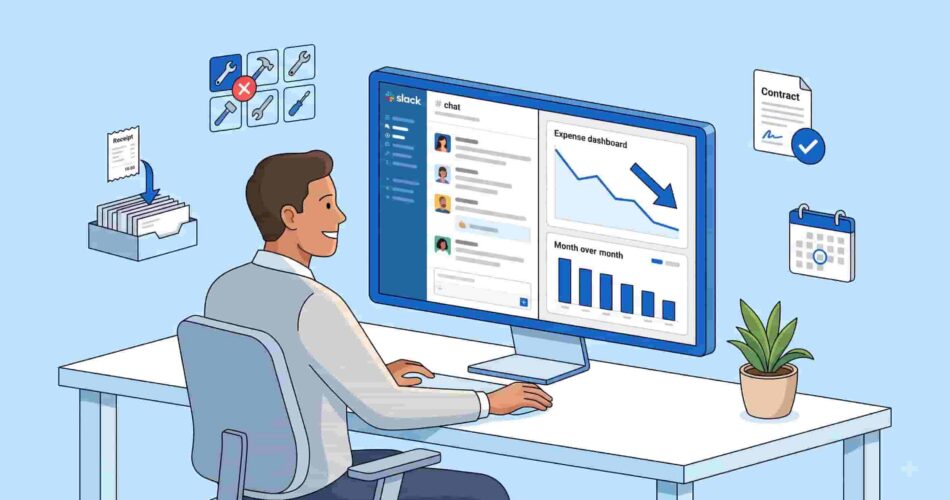
ExpenseTron is built for teams that already live in Slack or Microsoft Teams and don’t want a separate mileage tracking app for something that’s really just another expense. When Priya’s reps drive to a client site, they message the distance to an expense tracking bot in Slack the same way they’d file any other expense. ExpenseTron converts it to a dollar figure using the team’s configured per-mile rate. From there, it routes into the same approval workflow as every other expense, so nothing needs reconciling separately at month-end.
Standout feature: mileage isn’t a bolt-on report, it’s the same expense pipeline as receipts and invoices.
2. MileIQ
MileIQ is the most recognized name in this category — a Microsoft-owned app that automatically detects drives in the background with no manual start/stop. The free plan covers 40 drives a month; the Unlimited plan runs $11.66/month billed annually. MileIQ states its average user finds roughly $8,400 a year in mileage-related tax deductions, which is the strongest argument for automatic detection over manual logging.
Standout feature: detection runs passively, so nobody forgets to start a trip.
3. Everlance
Everlance leans toward freelancers and the self-employed rather than teams, but it’s worth knowing about because it tracks mileage and card/bank spending in one place. The free tier includes 30 automatically detected trips a month; Starter is $8.99/month and adds unlimited automatic tracking plus IRS-compliant reporting.
Standout feature: one app for both mileage and general expense tracking, if a team doesn’t need Slack/Teams-native workflows.
4. TripLog
TripLog is the deepest option on this list — beyond mileage, it tracks fuel, tolls, parking, and client time, and integrates with QuickBooks, SAP Concur, and ADP. The basic plan is free; Premium runs $4.99/month; team pricing is quote-based depending on headcount (2–25, 26–250, 251+).
Standout feature: an optional USB beacon that keeps GPS tracking running without draining the phone battery.
5. Zoho Expense
Zoho Expense is the natural pick for a team already inside the Zoho ecosystem, or already on QuickBooks or Xero — mileage and expense reports flow directly into those accounting tools without manual re-entry. A free tier is available for smaller teams.
Standout feature: built for teams optimizing around their existing accounting stack rather than adding a new one.

6. QuickBooks Online
QuickBooks Online bundles mileage tracking into its full accounting platform rather than selling it as a standalone tool. Pricing starts around $19/month for the first three months, then $38/month. It’s a reasonable fit only if a team wants mileage inside the same tool that already runs its books — otherwise it’s a lot of accounting software just to log drives.
Standout feature: mileage deductions feed directly into tax prep inside the same platform.
7. Hurdlr
Hurdlr is free and aimed squarely at gig workers and the self-employed who want real-time tax estimates alongside mileage. It calculates quarterly tax obligations as trips and income come in, which makes it more useful for a 1099 contractor than a W-2 team.
Standout feature: live tax estimates, not just a mileage log.
If your team already runs expenses through Slack or Teams, mileage shouldn’t be the one thing tracked in a separate mileage tracking app. See how ExpenseTron handles it alongside receipts, invoices, and approvals in the same chat-based flow.
FAQs
How does mileage tracking work with expense software?
Most mileage tracking apps use a phone’s GPS to detect when a trip starts, log it automatically, and calculate the distance once it ends. That distance gets converted into a dollar amount using a per-mile rate — either the IRS standard rate or a custom rate a company sets. In tools built for team expense management, like ExpenseTron, that dollar figure doesn’t sit in a separate mileage log. Instead, it becomes a normal expense line item that flows through the same approval process as a receipt or an invoice. That way, finance isn’t reconciling two different systems at month-end.
Is mileage reimbursement taxable?
Mileage reimbursed at or below the IRS standard mileage rate generally isn’t considered taxable income for the employee, as long as the employer requires proof of business use (dates, distance, purpose) under an accountable plan. If a company reimburses above the standard rate, the excess portion can become taxable, and a flat monthly car allowance (rather than per-mile) is usually taxed differently and typically counts as income. This isn’t tax advice — the specifics depend on how a plan is structured, so it’s worth checking with an accountant before setting a company-wide rate.
Does automatic mileage tracking drain my phone’s battery?
It can, since background GPS tracking is one of the more battery-intensive things a phone does over a full day of driving. Apps handle this differently: some rely on the phone’s native location services, which modern iOS and Android devices manage fairly efficiently in the background. Others, like TripLog, offer an optional low-power Bluetooth beacon that plugs into a vehicle and triggers tracking without the phone’s GPS running constantly. If battery life is a real concern for a team that drives most of the day, it’s worth checking which detection method an app actually uses before committing to it.
Does ExpenseTron support mileage tracking?
Yes — as a mileage tracking app, ExpenseTron converts driven distance into a dollar expense using a team’s configured per-mile rate, and that expense moves through the same approval workflow as any other expense type — no separate mileage report or spreadsheet required. Because ExpenseTron runs natively inside Slack or Microsoft Teams, employees log a trip the same way they’d file any other expense: as a message to the bot, without opening a separate app. For teams that already run expense management through chat, this keeps mileage from becoming the one category tracked and reconciled somewhere else.
What is the IRS standard mileage rate, and does it change every year?
The IRS sets a standard mileage rate annually, meant to cover the cost of operating a vehicle for business use — fuel, maintenance, depreciation, and insurance combined into a single per-mile figure. It typically changes from year to year based on vehicle operating costs, and occasionally mid-year if costs shift significantly. Companies aren’t required to use the IRS rate specifically — they can set their own reimbursement rate — but staying at or below the current IRS figure is generally what keeps reimbursements non-taxable for employees. As of 2026, the IRS standard mileage rate is 76 cents per mile.
Can a team track mileage without adding a separate app if they already use Slack or Teams?
Yes — this is the specific gap most mileage tracking apps don’t solve for. Standalone tools like MileIQ or Everlance are excellent at capturing trips, but the resulting mileage report still has to be manually reconciled with whatever tool actually handles the team’s expenses and approvals. ExpenseTron addresses this by treating mileage as just another expense type inside the same Slack or Teams workflow already used for receipts and invoices. As a result, there’s no second app, no export/import step, and no separate approval chain to manage.
How do I move a team from spreadsheet mileage tracking to an automated app?
The main friction in switching is usually getting a team to actually open a new app consistently, not the tracking itself. Migration goes more smoothly when the new tool sits inside software the team already uses daily. That’s one reason chat-based tools like ExpenseTron see faster adoption than a dedicated mileage app nobody has a standing reason to open. Most teams run a short overlap period, typically one full pay cycle, where mileage gets logged both ways, compare the totals, then drop the spreadsheet once the numbers consistently match up. A simple expense report template can bridge that overlap period before the switch to a mileage tracking app is complete.

Try ExpenseTron free — no credit card needed →