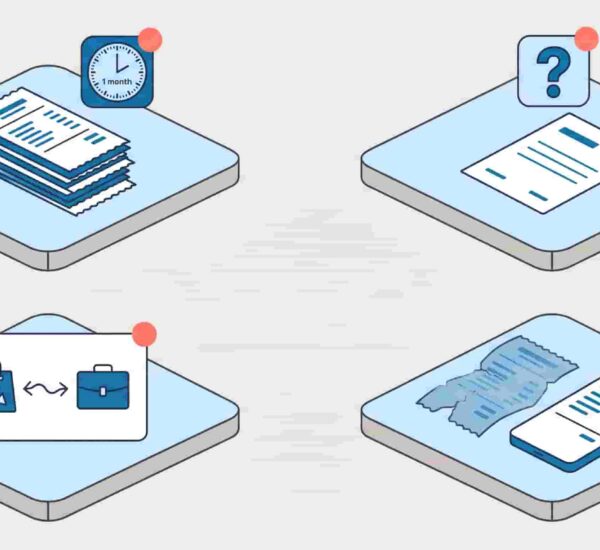
Someone on your team just dropped a receipt photo in a WhatsApp group. Your manager approved it over a Slack DM that’s now buried under 200 other messages. It’s the last week of the month and your finance team is trying to piece together what actually got spent from memory, screenshots, and a shared spreadsheet that nobody trusts. If that sounds familiar, you don’t have an expense approval workflow – you have a vibes-based system held together by follow-up messages and hope. Here’s how to build something that actually works.
What is an expense approval workflow?
An expense approval workflow is a structured, repeatable process for submitting, reviewing, approving, and reimbursing employee expenses. It defines who submits, who approves, what information is required at each step, and how approved expenses sync to your accounting system. A good expense approval workflow eliminates ad-hoc approvals over chat, creates a full audit trail, and ensures employees get reimbursed on a predictable schedule — without your finance team chasing receipts at month-end.
What Is an Expense Approval Workflow?
An expense approval workflow is a structured, repeatable process for submitting, reviewing, approving, and reimbursing employee expenses. That’s the plain-English version. The important word is structured – it means the same thing happens every time, regardless of who’s submitting or who’s approving.
The difference between a broken ad-hoc process and a real expense workflow is accountability at every step. In an ad-hoc system, expenses appear in random channels, approvals happen informally, and nothing is documented until month-end when someone has to go digging. In a structured expense approval process, every submission has a record, every approval has a timestamp, and every reimbursement is tied to an approved request.
A good expense workflow doesn’t have to be complex. It just has to be consistent.

How a Typical Expense Report Approval Process Works
A well-structured expense report approval process has five clear steps – and each one has a specific failure point when done manually.
Step one: the employee submits an expense.
They provide the receipt, the amount, the category (meals, travel, software, etc.), and ideally a project code or note. This sounds simple. Manually, it means filling out a form, attaching a photo, and emailing it somewhere – by which point the receipt is already three days old, or lost. A good expense report workflow captures this at the moment of spending, not whenever the employee gets around to it.
Step two: the request routes to the right approver.
In a proper expense approval process, routing is automatic – the system knows who approves what based on the employee’s team, the expense category, or the amount. Manually, routing means the employee has to figure out who to email, which often leads to the wrong person getting the request, or nobody getting it at all.
Step three: the approver reviews and decides.
They approve the expense, or reject it with a note explaining why. This is where things stall in manual systems – managers don’t know a request is waiting for them until the employee follows up, sometimes days later. A good expense report approval process notifies the right person immediately and makes it easy to act without leaving whatever tool they’re already in.
Step four: the approved expense syncs to accounting.
This is the step most growth-stage companies skip. Approved expenses should flow directly into your accounting software – QuickBooks, Xero, wherever you live – without anyone re-entering data. Manually, this means someone on the finance team is copying and pasting approved expenses into a spreadsheet at month-end. That’s where errors happen.
Step five: the employee is notified and reimbursed.
They get a confirmation that their expense was approved, and reimbursement follows on schedule. In a broken expense workflow, employees find out their expense was processed when the money appears in their account – or they don’t find out at all and have to ask. According to Aberdeen Group research cited by ExpenseWire, best-in-class companies turn expense reports into reimbursements in 3.5 days on average. Companies running manual processes average 7.3 days – more than twice as long.
Common Ways Expense Approval Workflows Break Down
Even teams with the best intentions end up with a broken expense approval workflow. Here are the four failure modes that show up most often.
No central submission point
Receipts arrive via WhatsApp, email, Slack DMs, and occasionally a paper envelope left on someone’s desk. When there’s no single place for expenses to land, there’s no way to track what’s been submitted, what’s pending, and what’s been missed. A structured cost approval process starts with one channel – and only one.
Manual routing
The manager doesn’t know they have an expense waiting for them until the employee follows up. By then, three days have passed and the employee is annoyed. Manual routing is the single biggest cause of approval delays. When routing depends on someone remembering to forward something to someone else, it will eventually break. The G2 expense management category lists automated approval workflows as one of the most valued features across the category – and this is exactly why.
No audit trail
This one is a compliance risk, not just an inconvenience. When approvals happen over Slack DMs or verbal confirmation, there’s no record. If a question comes up during an audit – or a dispute arises over whether something was approved – there’s nothing to point to. According to the ACFE’s Occupational Fraud 2024 Report, more than half of occupational fraud cases were correlated with a lack of internal controls or management override of existing controls – and weak controls are disproportionately common in smaller organizations. Expense reimbursement fraud is a real category, and an undocumented cost approval process is an open door.
Slow reimbursement
When the expense report workflow has too many manual steps, reimbursements slow to a crawl. Employees who paid out of pocket are waiting weeks. That creates friction, erodes trust, and makes people less likely to follow the process next time. According to Aberdeen Group, manual expense reports cost small and mid-sized businesses an average of $35.02 to process per report – and that’s before accounting for the cost of the delays themselves.

What a Good Expense Approval Workflow Looks Like in Practice
Here’s what the same process looks like when it actually works.
An employee finishes a client lunch on a Tuesday afternoon. They pull out their phone, snap the receipt, and send it to ExpenseTron inside Slack. Takes thirty seconds. The right approver – their direct manager – gets a Slack notification instantly with the expense details and a one-click approve or reject button. The manager approves it without leaving Slack. The expense syncs to QuickBooks automatically. By Thursday, the employee has a reimbursement confirmation. Start to finish: less than 48 hours, zero manual data entry, and a full audit trail attached to every step.
That’s not a fantasy – it’s what a well-designed expense approval workflow looks like when it lives inside the tool your team already uses all day. If you’re evaluating Slack-based expense management tools, the key question isn’t feature depth – it’s whether the submission, approval, and sync all happen without anyone leaving their normal workflow.
How to Build an Expense Approval Workflow for Your Team
Whether you’re starting from scratch or fixing something broken, here’s what a functional expense approval workflow actually requires.
Define your approval tiers
Who approves expenses under $100? Under $500? Does anything over $1,000 need a second sign-off? Get this written down before you set anything up. Ambiguity in approval tiers is where requests stall and resentment builds.
Set a submission standard
Every expense submission should include the same information: receipt, amount, category, and a brief note on what it was for. If you use project codes, make those mandatory too. Consistency at submission means less back-and-forth during review. It also makes understanding why employees delay expense reports much easier – usually it’s because the submission process itself is unclear or annoying.
Choose where submissions happen
The expense workflow should live where your team already works. If your team is in Slack all day, forcing them to log into a separate portal to submit a $40 lunch expense is friction you’ll pay for in late submissions. The tool should adapt to your team’s environment, not the other way around.
Automate routing
Manual routing is where expense workflows die. Set up rules so that every expense automatically reaches the right approver based on the submitter’s team, the amount, or the category. No forwarding. No remembering. No follow-up messages asking “hey, did you see my expense from last week?”
Connect to your accounting tool
Approved expenses that don’t sync downstream don’t close the loop. Whether you’re on QuickBooks, Xero, or something else, your expense approval process should feed approved data into your accounting system automatically. If your finance team is still manually re-entering approved expenses at month-end, you haven’t finished building the workflow.
Side-by-Side: Manual vs Automated Expense Approval Workflow
The gap between a manual and automated expense approval workflow isn’t just a matter of convenience – it shows up in processing time, compliance exposure, and how your finance team spends the last week of every month.
| Feature | Manual Process | Automated Workflow (ExpenseTron) |
|---|---|---|
| Where employees submit | Email, WhatsApp, Slack DM, paper – wherever feels easiest | Directly inside Slack – one place, every time |
| Approval notification | Employee follows up manually; manager may not see it for days | Instant Slack notification to the right approver, every time |
| Audit trail | Scattered across inboxes and chat threads; difficult to reconstruct | Full timestamped record of every submission and approval |
| Accounting sync | Manual re-entry by finance team at month-end | Auto-sync to QuickBooks or Xero on approval |
| Average processing time | $35+ per report (Aberdeen Group); days to weeks | Minutes to hours; processing cost drops significantly with automation |
| Reimbursement speed | 7+ days on average for SMBs (Aberdeen Group) | Best-in-class: 3.5 days from submission to reimbursement |
| Finance team workload at month-end | High – chasing receipts, reconciling spreadsheets, re-entering data | Low – data is already synced and categorised throughout the month |
Frequently Asked Questions
What is an expense approval workflow?
An expense approval workflow is a structured process that moves an employee’s expense from submission through review, approval, and reimbursement in a consistent, documented way. A good expense workflow defines who submits, who approves, what information is required, and how approved expenses reach your accounting system – so the same steps happen every time, regardless of who’s involved.
What should an expense approval process include?
A complete expense approval process includes a single submission channel, required fields on every expense (receipt, amount, category, notes), automatic routing to the right approver, a documented approval or rejection with a reason, accounting sync on approval, and a reimbursement notification to the employee. The expense report approval process fails most often when any of these steps is left to manual judgment rather than a defined rule.
How do you automate an expense report approval process?
To automate your expense report approval process, start by choosing a tool that handles submission, routing, and sync natively – ideally one that works inside the communication platform your team already uses, like Slack. Then define your approval rules (who approves what amounts and categories), connect to your accounting software, and turn off the manual alternatives. Automation only works if there’s one path in, not several competing ones.
What is the difference between an expense workflow and an expense report workflow?
An expense workflow refers to the end-to-end process of managing any single expense – from submission to reimbursement. An expense report workflow typically refers to the process of batching multiple expenses into a report, submitting that report for review, and processing it as a group. In practice, modern tools handle both – individual submissions that can be grouped into reports for accounting purposes. For most growing teams, individual submission workflows are faster and easier to manage than periodic batch reports.
How long should an expense report approval take?
According to Aberdeen Group research, best-in-class companies complete the expense report approval process – from submission to reimbursement – in 3.5 days. Companies running manual expense approval processes average more than 7 days. With an automated expense approval workflow and instant Slack-based approvals, most individual expenses can be reviewed and approved within hours of submission.
A broken expense approval workflow isn’t just annoying – it’s a real cost. Aberdeen Group estimates that manually processing a single expense report costs small and mid-sized businesses an average of $35.02, and that’s before you factor in the compliance risk of having no audit trail, or the morale cost of employees waiting two weeks for a reimbursement.
The good news is that building a proper expense workflow doesn’t require a complex enterprise system or a month-long implementation. It requires a consistent process, automatic routing, and a submission channel your team will actually use. For most growing companies, that last part is the deciding factor – the tool has to live where your team already works.
See how ExpenseTron handles your entire expense approval workflow inside Slack – submission, approval, accounting sync, and reimbursement notification, without anyone leaving their normal workflow. Or if you’re still comparing options, this Slack expense management comparison is a good place to start.