
Your developer in Canada just filed a receipt in CAD. Your designer in Spain submitted one in EUR. Your sales lead in Japan is asking why their reimbursement took three weeks. Welcome to international expense management for remote teams – one of the messiest, most underrated operational problems in modern business.
Quick Answer
How do remote teams handle business expenses across different countries? International expense management for remote teams requires a clear global expense policy, a tool that handles multi-currency submissions and automatic conversion, and an approval workflow that doesn’t depend on being in the same office – or even the same time zone. The biggest challenges are currency fluctuation, varying tax regulations by country, receipt documentation requirements, and reimbursement delays caused by manual processes. The best solution is a lightweight, always-accessible tool that lets employees file expenses the moment they happen – ideally inside a tool they already use daily, like Slack.
The Scale of the Problem
Remote work isn’t a niche arrangement anymore. Around 27% of full-time employees worldwide now work fully remotely, with an additional 52% on hybrid schedules that include remote days. For companies hiring across borders, that means expense management isn’t just a finance problem – it’s a global logistics problem.
International teams regularly spend across borders, making tracking essential. Payments and reimbursements happen in various currencies, and managing exchange rates and reporting fairly is now a must. Compliance risks are real too – tax rules and labor laws vary from country to country, and poorly managed expenses can lead to penalties.
Most finance teams didn’t design their expense systems with this in mind. They built processes for a single-office team paying in one currency. Now those same processes are expected to handle a developer in Toronto, a marketer in Berlin, and a contractor in Manila – all filing expenses in different currencies, under different tax rules, with different documentation requirements.
International expense management for remote teams is genuinely hard. But it’s also very solvable with the right systems in place.

The Biggest Challenges (And Why Traditional Tools Fail)
1. Multi-Currency Chaos
A sales lead in Japan pays in Yen. A marketing manager in Spain pays in Euros. A developer in Canada pays in Canadian Dollars. Without a multi-currency reporting system, reconciling these expenses gets confusing – and conversion fees create hidden costs.
Most traditional expense tools either don’t support multi-currency natively or require employees to manually input conversion rates – which means every submission becomes a guessing game. By the time the report reaches finance, the exchange rate has shifted, and reconciliation is a mess.
2. Tax and Compliance Variation
Each country has its own rules. Some require receipts in the local language. Others tightly define deductible expenses. Reimbursing expenses incorrectly can even trigger income tax liability for employees or contractors, because local tax authorities don’t always recognise certain expenses as deductible.
There’s also the risk of what compliance professionals call a “permanent establishment” – where uncontrolled spending or local staff activity triggers unexpected tax liability for the company itself. For most small and mid-sized remote teams, this isn’t on anyone’s radar until it becomes a problem.
3. Receipt Collection and Documentation
Tracking and capturing receipts in remote settings often requires special digital tools and mobile apps, which can make collecting and organizing receipts stressful for non-tech-savvy employees. Add a language barrier – receipts printed in Japanese, German, or Arabic – and the documentation challenge gets even harder.
4. Approval Delays Across Time Zones
Timely expense reporting is another challenge for remote teams across different time zones. Delays in approval processes can impact the reimbursement timeline and create frustration for remote employees.
If your team is spread across five time zones and expense approvals require a manager to log in to a dashboard and manually review submissions, you’re looking at multi-day delays at best. Employees end up out of pocket longer than they should be – which quietly damages morale.
5. Out-of-Pocket Exposure
Most corporate expense card programs are designed for local, centralized teams. Distributed workers are often left behind, forced to use personal funds for equipment, subscriptions, and work-related travel. The consequences extend beyond inconvenience – in many countries, reimbursing these expenses triggers income tax liability for employees or contractors.
What a Good International Expense System Actually Looks Like
Effective international expense management for remote teams isn’t about finding the most feature-rich enterprise platform. It’s about building a system that removes friction at every point – for both the employee filing the expense and the manager approving it.
Here’s what that looks like in practice:
A clear, written global expense policy.
Employees in every country should know exactly what’s reimbursable, what the submission window is, and what documentation they need to provide. According to Fyle’s research on remote expense reporting, lack of clear expense policies is one of the top causes of confusion and non-compliance in remote teams.
Automatic multi-currency conversion.
Employees should be able to submit in their local currency. The tool should handle conversion automatically at the rate on the day of the transaction – not whenever finance gets around to processing it. This protects both the employee and the company from exchange rate disputes.
Digital receipt capture at the point of expense.
The best time to capture a receipt is the moment the expense happens – not three weeks later when someone is chasing a faded paper slip. Mobile-first or Slack-based submission means employees can file an expense within seconds of making it.
Approval workflows that don’t require a dashboard login.
If your manager has to open a separate platform, log in, and navigate a dashboard just to approve a $30 expense, it won’t happen fast. Approval workflows should live where the team already communicates – ideally with a one-tap approve/reject directly in Slack or email.
Accounting sync that handles international data cleanly.
Expenses filed across multiple currencies, categories, and team members should sync automatically to your accounting software – without manual re-entry. Tools like QuickBooks Online and Xero are standard integrations to look for.
Where ExpenseTron Fits In
For teams that run on Slack, international expense management for remote teams has a surprisingly elegant solution: keep the entire workflow inside Slack itself.
ExpenseTron is built specifically for this. Here’s what international expense management for remote teams looks like inside Slack with ExpenseTron:
- An employee in Germany snaps a photo of a receipt and sends it to ExpenseTron in Slack – in EUR, in seconds
- ExpenseTron logs it, converts the currency automatically, and routes it to the right approver
- The manager gets a Slack notification and approves directly in the thread – no separate login, no dashboard
- The expense syncs to QuickBooks Online or Xero automatically
- The employee gets reimbursed without ever opening a second tool
No separate platform. No chasing. No end-of-month scramble.
This matters especially for international expense management for remote teams because the friction of logging into yet another tool is higher when your team is already juggling multiple systems, time zones, and communication channels. When the expense tool lives in Slack – where they already are – submission rates go up and reimbursement delays go down.
ExpenseTron also handles mileage claims and out-of-pocket reimbursements without any card dependency, which makes it genuinely card-agnostic. That’s important for international teams where not everyone holds (or wants) a corporate card.
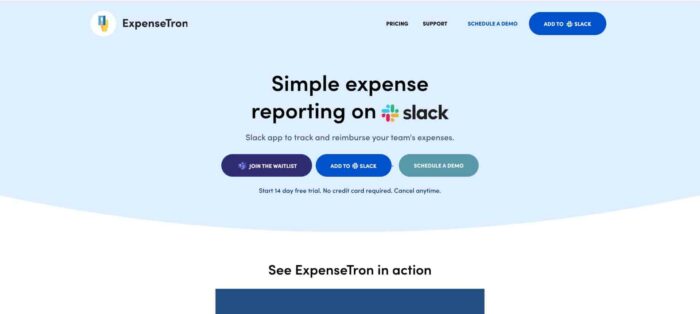
Make international reimbursements faster for every employee. Try ExpenseTron free →
Best Practices for International Expense Management
Whether you’re using ExpenseTron or another tool, here are the practices that make international expense management for remote teams actually work:
Set a submission deadline. A fixed window (e.g. expenses must be submitted within 7 days) dramatically reduces the receipt-chasing problem. Make it part of your written policy.
Define eligible expenses clearly by region. What’s reimbursable in the US may not be in Germany. WorkMotion’s guide to global expense management recommends building country-specific expense categories for remote-friendly spending like co-working passes, home internet, and local travel.
Lock in the conversion rate at submission. Always reimburse at the rate on the day of the expense, not the day of processing. This is fairer to employees and easier to audit.
Keep GDPR and local data rules in mind. In Europe, expense reports should be GDPR-compliant, and documentation must be retained in accordance with local rules. If your expense tool stores receipt images, make sure it’s clear where that data lives.
Automate wherever possible. According to Remote’s guide on managing expenses for remote employees, having software that efficiently handles foreign spending charges and taxes is invaluable, especially when you have employees in foreign countries – it automates currency conversions and keeps you up to date with international regulations.
The Bottom Line
International expense management for remote teams doesn’t have to be the operational headache it usually is. The mess – late receipts, currency confusion, approval delays, frustrated employees – comes from trying to run a global team on processes built for a single office.
Fix the system, not the people. Give your team a way to file expenses in seconds, in their local currency, inside the tools they already use. Build approval workflows that don’t require a login. Sync everything to your accounting software automatically.
For Slack-first teams, ExpenseTron does all of this natively – no extra dashboard, no card lock-in, no month-end chaos. It’s international expense management for remote teams, the way it should be: fast, frictionless, and done inside Slack.
See how effortless global expense management can be inside Slack and Teams. Start your free trial →
Frequently Asked Questions
What is international expense management for remote teams?
International expense management for remote teams is the process of tracking, submitting, approving, and reimbursing business expenses incurred by employees working across multiple countries. It involves handling multiple currencies, varying tax regulations, documentation requirements, and cross-time-zone approval workflows – all without the centralised control of a traditional office environment.
What are the biggest challenges of managing expenses for a global remote team?
The most common challenges in international expense management for remote teams are multi-currency reconciliation, tax compliance variation by country, receipt collection across different languages and formats, approval delays caused by time zone differences, and employees being left out of pocket for extended periods due to slow reimbursement processes.
How do you handle multi-currency expenses for a distributed team?
The best practice is to use an expense tool that automatically converts submissions to your base currency at the exchange rate on the day of the transaction. Employees should always be able to submit in their local currency – manual conversion puts the burden on the wrong person and introduces errors.
Do remote employees have to pay tax on expense reimbursements?
It depends on the country. In some jurisdictions, certain reimbursements are tax-free if they qualify as legitimate business expenses. In others, reimbursements – particularly for contractors – can trigger income tax liability. It’s important to understand local rules per country and consult a local tax advisor or global HR platform for country-specific guidance.
How can Slack-based tools help with international expense management?
Slack-based tools like ExpenseTron eliminate the need for employees to log into a separate platform to file expenses. Since remote teams already live in Slack, keeping the entire expense workflow there – submission, approval, reporting – dramatically reduces friction and increases on-time submissions. This matters even more for international teams managing multiple time zones and communication tools.
What should a global expense policy include?
A solid global expense policy should cover: what’s reimbursable (and what’s not), submission deadlines, required documentation per region, the currency conversion method used, approval chains, and reimbursement timelines. According to Fyle, unclear policies are one of the primary causes of expense compliance failures in remote teams.
How does ExpenseTron handle multi-currency expense submissions?
Employees submit expenses in their local currency directly via Slack. ExpenseTron converts them automatically using real-time exchange rates, routes them for approval within Slack, and syncs the converted data to QuickBooks Online or Xero – without anyone having to touch a spreadsheet or log into a dashboard.
Is ExpenseTron suitable for small remote teams or only larger companies?
ExpenseTron is built specifically for small and mid-sized teams – particularly those that are Slack-first and don’t want (or need) a complex enterprise expense platform. It’s card-agnostic, lightweight, and handles both card-based and out-of-pocket reimbursements, which makes it a good fit for lean distributed teams.
How long does international expense reimbursement usually take?
With manual processes, reimbursements can take anywhere from two to four weeks – sometimes longer for international bank transfers. With an automated tool and Slack-based approvals, that timeline can shrink to a few days. The biggest delay factors are late submissions from employees and slow approval turnaround from managers, both of which are solved by keeping the workflow inside Slack.
What accounting software does ExpenseTron integrate with?
ExpenseTron integrates natively with QuickBooks Online and Xero. Approved expenses sync automatically, categorised and converted, so your books stay clean without manual data entry from your finance team.